 Print
Print
 Close
Close

How to get Alexa to speak more like you
By Kurt Knutsson, CyberGuy Report
Published December 18, 2022
Take a moment to learn the newest ways to get Alexa to speak the way you want. It will dramatically improve how you are currently using Alexa forever.
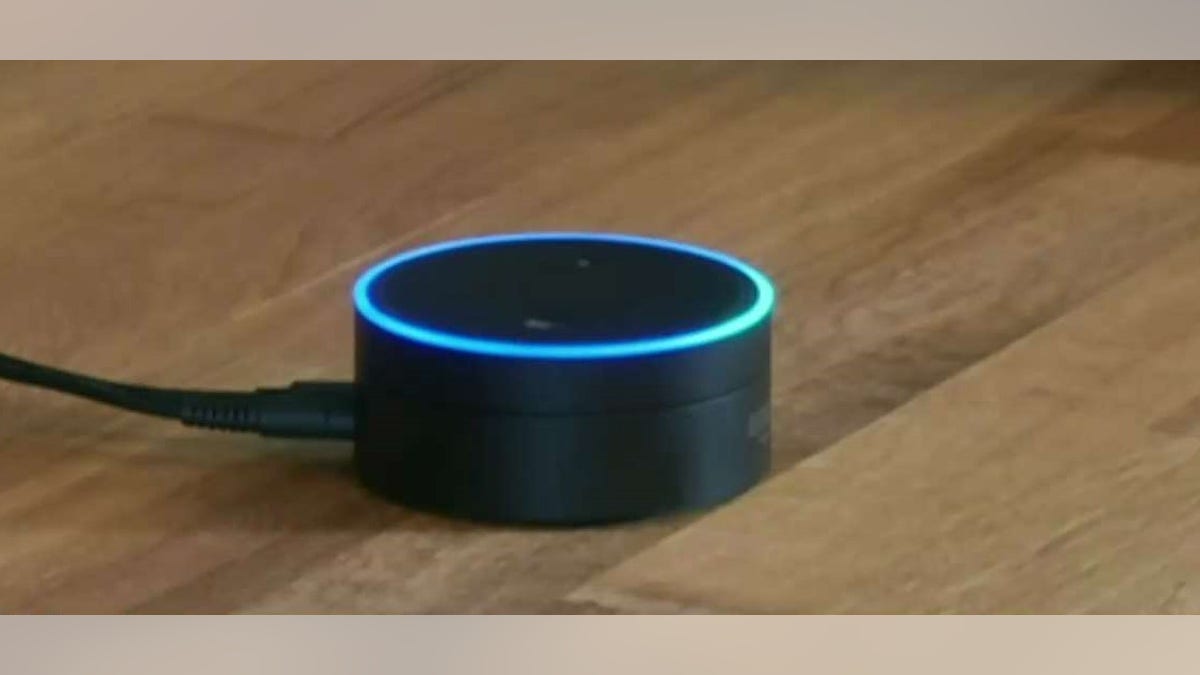
Amazon's Alexa (Fox News)
Change Alexa's speed
You can change Alexa's volume directly on most devices or by using your voice, but did you know you can change Alexa's speed at which the device talks to you?
Say "Alexa, speak faster" or "Alexa, speak slower" either once, or a few times to get the device speaking at the rate you'd like. If you end up wanting Alexa to go back to the original speed, just say "Alexa, speak at your default rate" and the settings will reset.
4 COMMON THINGS ALEXA CAN DO BETTER THAN YOU

Kurt "CyberGuy" Knutsson demonstrates how to customize Alexa. (Fox News)
4 SIMPLE AND POWERFUL TIPS FOR MASTERING YOUR IPHONE CALCULATOR
Use Alexa's brief mode
Speaking of needing Alexa to speed up, sometimes the device just says too many phrases. You may just be wanting a quick response about the temperature or package delivery, and Alexa will give a whole spiel about other settings you can change.
Turn on Brief mode on your Alexa devices to receive just the basic answers Alexa will provide.
- Open your Alexa app
- Tap More (the three horizontal lines on the bottom right)
- Tap Voice responses
- Toggle on Brief Mode so Alexa will speak less or opt for a short sound instead of a wordy response
In Voice responses, you can also select Whisper Mode, which means Alexa will whisper back if you whisper to the device, or Adaptive volume, which means your device will increase volume automatically if your environment is louder.
UNWANTED EMAILS FLOODING YOUR INBOX? HERE'S WHAT YOU CAN DO
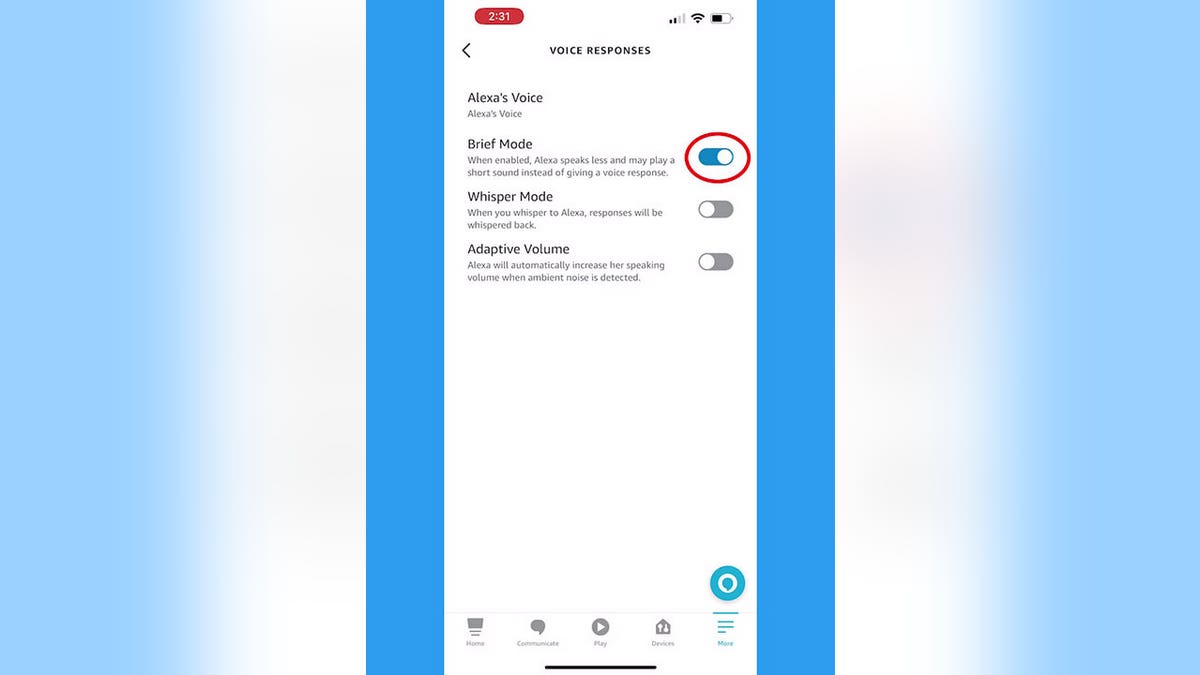
Screenshot of how to change your settings on Amazon's Alexa (Fox News)
HOW TO CHECK IF SOMEONE IS STEALING YOUR WI-FI AND WHAT TO DO ABOUT IT
Change or turn off Alexa's wake word
At this point, the name Alexa has been changed forever. You can't even watch a video where someone says the name without setting off your devices and getting voices coming from everywhere. If you want to change that, you can opt for a different "wake word" to get your Alexa's attention. You can also stop Alexa from listening to you entirely.
How to change Alexa's wake word
- Open your Alexa app
- Tap Devices
- Tap Echo & Alexa
- Tap the device you want to change the wake word for (if you want to do it for all of your Alexa devices, just do this individually for each one)
- Tap the Settings icon in the top-right corner
- Scroll down and tap Wake word
- Select from the options
HOW TO CHANGE YOUR PRIVACY SETTINGS ON YOUR ANDROID DEVICES
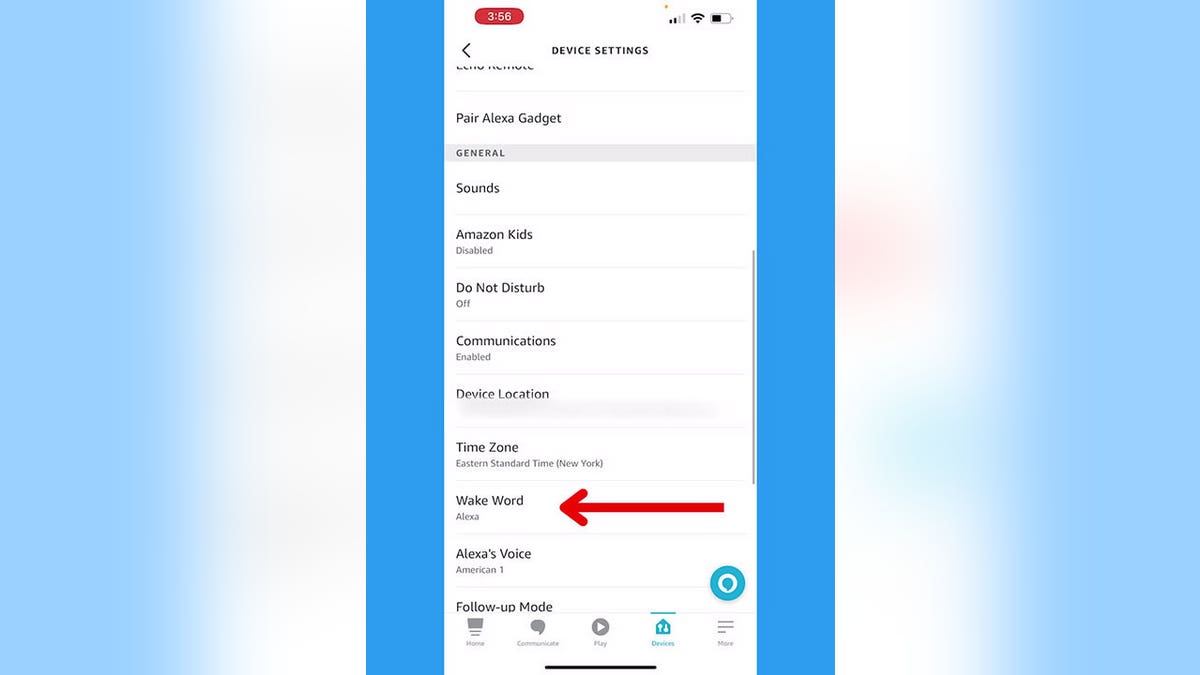
Screenshot instructing how to change Amazon Alexa's wake word (Fox News)
You can also change Alexa's voice to someone like Samuel L. Jackson or Melissa McCarthy by saying, "Alexa, change your voice."
CLICK HERE TO DOWNLOAD THE FOX NEWS APP
How to stop Alexa from listening to you
If you just need a pause from Alexa altogether and none of the wake words work for you, you can mute Alexa. Most newer Alexa devices have a mute button, which is a circle with a slash through it. Simply tap that, and you'll see a red light indicating your Alexa's in mute mode.
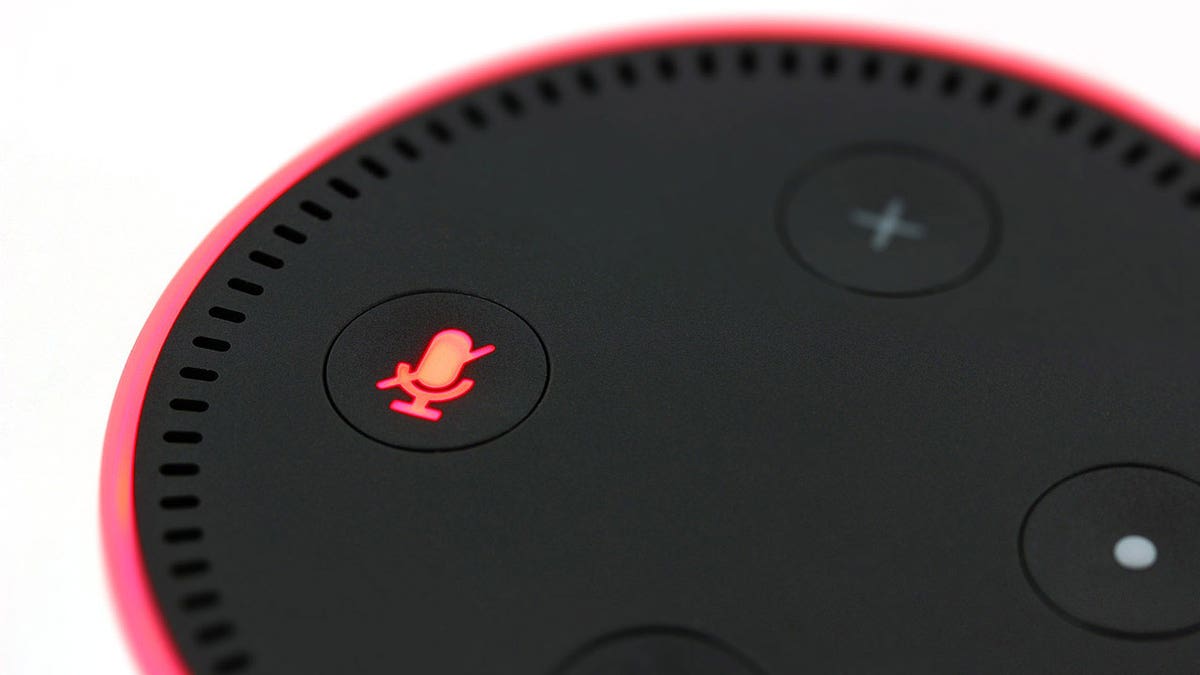
An Amazon Echo Dot with a red ring and Alexa muted (Fox News)
For more of my Alexa tips, head over to CyberGuy.com and search "Alexa" and be sure to sign up for my free newsletter.
Copyright 2023 CyberGuy.com. All rights reserved. CyberGuy.com articles and content may contain affiliate links that earn a commission when purchases are made.
https://www.foxnews.com/tech/alexa-speak-more-like